
Best DDR5 RAM for 270K Plus: G.Skill Trident Z5 RGB (Matte White)

| DDR Gen: | DDR5 |
|---|---|
| Capacity: | 48 GB (2 x 24 GB) |
| Frequency: | 7200 MHz |
| Latency: | 10 ns (CL36) |
| Timings: | 36-46-46-115 |
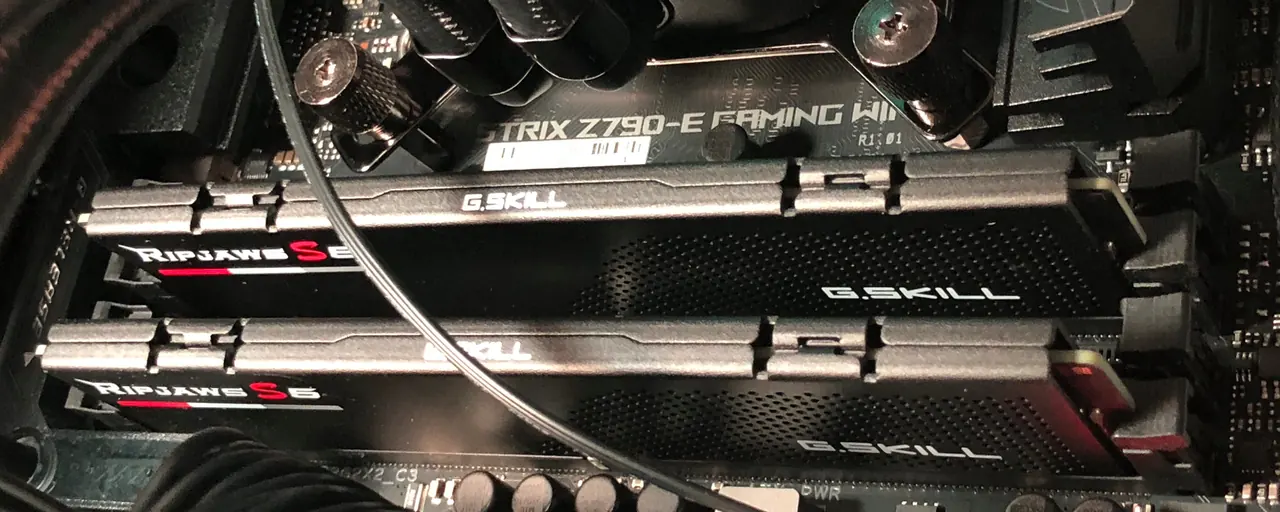
Based on our experience installing and testing RAM, we found that the G.Skill Trident Z5 RGB Series at 7200 MT/s is an excellent match for the Intel Core Ultra 7 270K processor Plus at the platform's native memory speed. This 48 GB kit (2 x 24 GB) reaches the rated 7200 MT/s with CL36-46-46-115 timings at 1.35V via Intel XMP 3.0 — no manual overclocking required. The Matte White heatspreaders and RGB lighting pair naturally with light-themed builds.
We feel the 48 GB capacity strikes a useful balance — enough headroom for content creation, gaming, and multi-application workflows on the 270K Plus, without the cost premium of a 64 GB kit. Enabling the XMP 3.0 profile in BIOS reaches the full 7200 speed on validated Z890 and Z790 motherboards.
Best DDR5 RAM for 270K Plus: G.Skill Trident Z5 RGB (Matte Black)
| DDR Gen: | DDR5 |
|---|---|
| Capacity: | 48 GB (2 x 24 GB) |
| Frequency: | 7200 MHz |
| Latency: | 10 ns (CL36) |
| Timings: | 36-46-46-115 |
For builders preferring a stealth aesthetic, the same G.Skill Trident Z5 RGB kit ships with Matte Black heatspreaders. The specifications are identical to the white variant — 48 GB (2 x 24 GB), 7200 MT/s, CL36-46-46-115 timings, 1.35V, and the same Intel XMP 3.0 profile — so the choice between the two comes down to your build's color theme.
Which RAM Is Compatible With the Core Ultra 7 270K Plus?
Memory Generation Supported by the 270K Plus
The Core Ultra 7 270K processor Plus only supports DDR5 memory. Other generations of memory are incompatible.
The generation of memory (e.g., DDR3, DDR4, or DDR5) must match what is supported by your motherboard. Motherboards only support a single generation of memory.
To learn more about the difference between DDR5 and DDR4, check out our article: DDR4 vs. DDR5? Which You Should Buy .
.
Maximum Memory Speeds Supported by the 270K Plus
The maximum speed at which you can run PC memory depends on your CPU, motherboard, and the memory itself.
When using DDR5 memory, the Core Ultra 7 270K processor Plus officially supports memory speeds up to 7200 MT/s. This maximum speed means that stock DDR5 performance will be maximized using DDR5-7200 memory.
When overclocking memory, such as with an XMP profile, you can exceed these stock speeds officially supported by CPUs. We've found that motherboard specifications indicate their supported overclocked-memory speeds. To be able to overclock DDR memory, your motherboard chipset needs to support memory overclocking.
Find which chipsets support overclocking in my article, Which Chipsets Work With Intel's Core Ultra 7 270K processor Plus?.
RAM can also be underclocked to achieve compatibility, which can be a practical solution in certain situations. Underclocking is particularly useful when you have memory that operates at speeds faster than what your CPU or motherboard supports. However, to underclock with precision, your motherboard must support memory speed adjustments. Without such support, the memory may default to a slower speed than the maximum supported speed. We recommend using the maximum speed that both your motherboard and CPU support to achieve optimal memory performance without requiring overclocking support.
To confirm compatibility, you can check the motherboard's specifications. Additionally, we've found that motherboard manufacturers often list compatible memory kits on their websites, making it easier to verify support.
| DDR3 | DDR4 | DDR5 | |
|---|---|---|---|
| Max UDIMM (Unbuffered) Capacity | 16 GB | 32 GB | 128 GB |
| Bandwidth | 6400–17067 MB/s | 12800–25600 MB/s | 38400–57600 MB/s |
| Transfer Rate | 800–2133 MT/s | 1600–3200 MT/s | 4800–7200 MT/s |
| Base Frequency | 400–1067 MHz | 800–1600 MHz | 2400–3600 MHz |
| Effective Frequency | 800–2133 MHz | 1600–3200 MHz | 4800–7200 MHz |
| Voltage | 1.5 V | 1.2 V | 1.1 V |
| On-die ECC | No | No | Yes |
270K Plus ECC Memory Support
Most gaming and general-purpose desktop setups do not use ECC memory.
Error correction code (ECC) memory is a more expensive form of memory typically used for critical server and workstation use cases. The purpose of ECC memory is to detect and correct when a single bit in memory gets flipped unintentionally.
ECC memory will not work unless the motherboard and CPU both support ECC.
The Core Ultra 7 270K Plus supports unbuffered ECC memory with a compatible motherboard.
While the 270K Plus CPU technically supports ECC memory, it requires a server/
When desktop motherboards support ECC memory, it's typically limited to "unbuffered ECC" memory. Server motherboards may support "registered ECC" memory, which allows for additional memory modules.
Before Buying RAM
Before purchasing memory, we suggest that you review your motherboard specification to verify which speeds are supported. For example, if a DDR4 motherboard stated that it supports "DDR4 3400(O.C.) / 3333(O.C.) / 3300(O.C.) / 3200 / 3000," that would mean that it could support DDR4-3400, DDR4-3333, and DDR4-3300 with memory overclocking, and DDR4-3200 and DDR4-3000 at stock speeds. Motherboard specifications also indicate the maximum capacity per stick of RAM (DIMM) and across all slots.
Learn More About the Intel Core Ultra 7 270K Plus
- Motherboard: Choosing the Best Motherboard for Intel's Core Ultra 7 270K Plus
- Chipset: Which Chipsets Work With Intel's Core Ultra 7 270K processor Plus?
- Cooler: Choosing the Best CPU Cooler for Intel's Core Ultra 7 270K Plus
- Power Supply: Choosing the Best Power Supply for Intel's Core Ultra 7 270K Plus
- RAM: Best RAM for the Intel Core Ultra 7 270K Plus CPU
- TDP: What Is the TDP of the Core Ultra 7 270K processor Plus?
- Gaming: Is the Core Ultra 7 270K processor Plus Good for Gaming?