
Thermal Requirements of the Core Ultra 7 Processor 265K

A CPU cooler's Thermal Design Power (TDP) rating refers to its ability to dissipate heat in watts. Selecting a CPU cooler with a TDP that matches or exceeds the peak TDP of the Core Ultra 7 265K is crucial for efficient heat management.
The Core Ultra 7 265K has a TDP range of 125–250 watts, depending on the workload. To maximize your CPU's performance, you should use a cooler that can handle the peak TDP (PL2) of 250 watts. PL2 is an Intel processor's short-term maximum power draw when the CPU runs at its maximum short-term speed (max turbo frequency). Intel CPU specifications list the base TDP (PL1) as "Processor Base Power" and the peak TDP (PL2) as "Maximum Turbo Power."
While testing CPU coolers, I witnessed the importance of adequate cooling for achieving and maintaining maximum turbo speeds. If the CPU cooler fails to maintain an optimal temperature for the CPU, it may cause the CPU to slow down, a process known as throttling. In some cases, the cooler may operate continuously at full speed. Even if the CPU cooler has a lower TDP rating than the CPU, it can still function, but, as I've experienced, the CPU will eventually reduce its frequency to cool down.
Types of Coolers
Air Cooler
Air coolers utilize a combination of heatsinks and fans to dissipate heat. While they are the most budget-friendly option available, I've observed that they can sometimes produce a lot of noise, which may not be ideal for everyone. However, I can say that air coolers have been a reliable option for me over the years, despite that, and remain a popular choice for many PC enthusiasts.
Closed-Loop Cooler
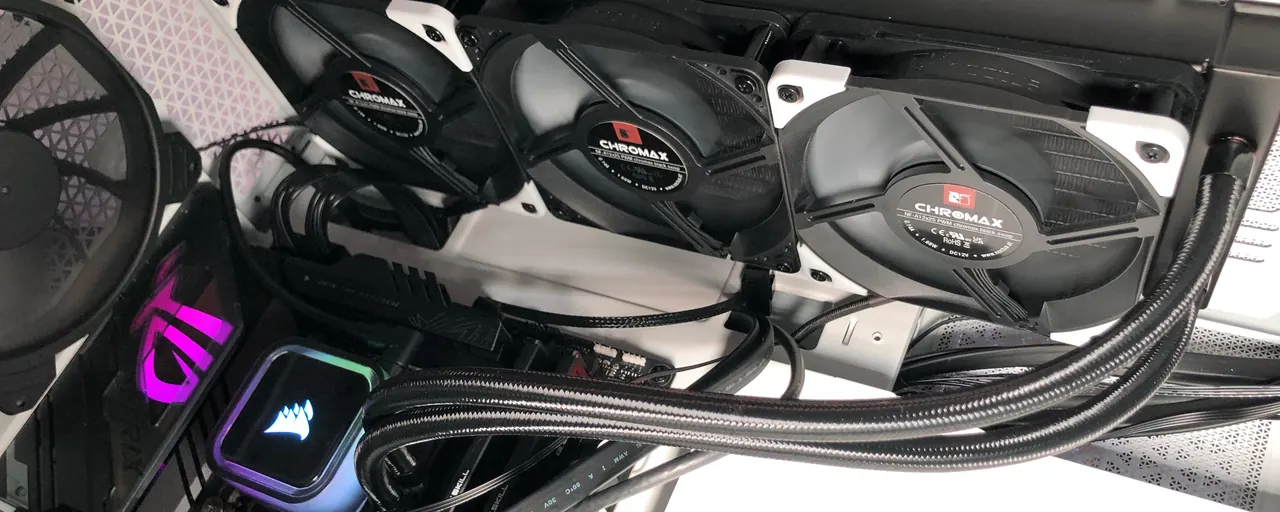
A Closed-Loop Cooler, also known as an all-in-one (AIO) cooler, is a type of liquid cooler. Through testing and analyzing different cooling systems, we have concluded that the AIO coolers are our favorite option when designing a cool and quiet PC setup. I have found that pre-built liquid cooling systems offer a more straightforward setup and can provide better TDP performance at lower noise levels than air coolers. With that said, I have observed that the cooling performance and noise levels greatly depend on the radiator size and the number and size of the fans.
Find LGA 1851 AIO Coolers on Amazon 
Open-Loop Cooler
We have tried open-loop cooler systems and observed that they offer more flexibility for building a customized cooling setup. However, setting them up can be more complicated than closed-loop coolers. Using open-loop coolers also meant dealing with maintenance, such as coolant flushing, which was a downside I experienced.
Despite this, we were able to take advantage of the additional cooling capabilities that these open-loop systems offer, allowing us to cool not just our CPU but also our graphics card's GPU.
Mounting Brackets Compatible With the Core Ultra 7 265K
Ensure that your cooler includes a compatible mounting bracket for your CPU. CPU coolers come with various mounting brackets to accommodate multiple CPU socket sizes. For the Intel Core Ultra 7 processor 265K, you'll need a CPU cooler that supports the LGA 1851 socket.
In cases where a new socket size is released, you can often purchase a separate mounting/
Check out our Recommended LGA 1851 Coolers for the Core Ultra 7 265K below.
Considerations When Choosing a Cooler for the 265K CPU
Noise
When it comes to noise, more fans typically mean better cooling but also more noise. However, larger fans are generally quieter because they can move the same amount of air at lower speeds. If you're like me and value a quiet workspace, larger fans are the way to go.
Configuring your motherboard's BIOS to use specific fan speeds at particular temperatures can help maintain a near-silent computer while idle. This feature is especially useful if you're someone who appreciates a peaceful environment while working or gaming.
Size
When selecting a CPU cooler, it's crucial to verify that your case and motherboard have enough space to accommodate it. Potential interference with other components, such as tall memory modules, should also be considered.
Dual-fan air coolers often require substantial space on top of the motherboard, while liquid cooler radiators take up space but can be mounted in dedicated fan locations on different parts of the case, such as the front, top, sides, or bottom.
Lighting
Lighting is a feature that can add a lot to the aesthetics of your build. Some coolers come with LED lighting on the fans or pump heads, which can be a nice touch if you're into that. However, not everyone wants or needs lighting, so it's important to consider whether this feature is worth the extra cost. Personally, I prefer a more minimalist design, so I look for coolers that either don't have lighting or allow me to turn it off easily.
Price
Air-based coolers are generally more affordable than liquid cooling systems. However, higher TDP support and advanced lighting features can increase costs. It's important to balance your budget according to your needs, choosing between practical, low-cost solutions and more visually striking options. Consider your priorities, whether they are performance, silence, or aesthetics, to make the most cost-effective choice.
Gaming
An air cooler may suffice for a gaming PC if you don't plan to overclock your CPU. However, from my experience and testing, not all CPU air coolers can handle the same amount of heat. Examining coolers' supported heat dissipation (TDP) in watts (e.g., 180 watts) is crucial for choosing which cooler to purchase.
Games and other CPU-intensive tasks can keep the Core Ultra 7 processor 265K at the higher end of its TDP range (250 watts). From my experience, it's best to opt for a larger air-cooled heatsink with one to two fans or even consider a liquid cooler, which I've found to be generally quieter than air coolers and offer better cooling performance.
Overclocking
We've learned from our own experiences that if you plan to overclock your CPU, your success will depend on how effectively you can maintain adequate cooling. As we have learned, inadequate cooling can cause the CPU to throttle itself to a lower speed or even damage it. However, it can also result in system instability while gaming or working. System instability has led to frustrating instances where we've lost progress and encountered interruptions during gaming sessions.
You may achieve some level of overclocking with a good air cooler. However, if the cooler is struggling to keep the CPU cool enough, your fans will remain at their maximum speed, which could be a little noisy.
Liquid cooling can generally achieve better TDP levels compared to air cooling. Additionally, liquid cooling allows for a quieter system, depending on the radiator size, fan size, and the number of fans used.
Recommended LGA 1851 Coolers for the Core Ultra 7 265K
A CPU cooler compatible with the LGA 1851 socket will be required. Use the cooler's LGA 1851 mounting hardware.
Best LGA 1851 AIO Liquid Coolers
ARCTIC Liquid Freezer III Pro 360
ARCTIC Liquid Freezer III Pro 360 Supports LGA 1851: YES Radiator: 360 mm, 38 mm thick Fans: 3 x 120 mm Type: Liquid Cooler Check the latest price of the ARCTIC Liquid Freezer III Pro 360 on Amazon
Choose this 360 mm AIO for a build with room for a large radiator, such as a CPU-heavy workstation. The three 120 mm fans move heat out through the radiator; the pump and fans support PWM control.
Supports AM4, AM5, LGA 1700 and LGA 1851. The 38 mm radiator is thicker than many AIO radiators; check radiator, fan and motherboard clearance in your case.
Best LGA 1851 Dual-Fan Air CPU Coolers
Thermalright Phantom Spirit 120 SE Black
Thermalright Phantom Spirit 120 SE Black Supports LGA 1851: YES Height: 154 mm Fans: 2 x 120 mm Heatpipes: 7 Check the latest price of the Thermalright Phantom Spirit 120 SE Black on Amazon
A dual-tower air cooler with seven heatpipes and two PWM fans. Choose it for a fan-cooled build without a liquid-cooling pump or RGB wiring.
Supports AM4, AM5, LGA 115x, 1200, 1700 and 1851. Allow 154 mm of case clearance, plus any extra height needed if the front fan must be raised above tall RAM.
Noctua NH-D15
Noctua NH-D15 Supports LGA 1851: YES Height: 165 mm Fans: 2 x 140 mm Max. fan noise: 24.6 dB(A) Type: Heatsink & Fans Check the latest price of the Noctua NH-D15 on Amazon
A premium dual-tower air cooler with two 140 mm PWM fans. Choose it if you prefer Noctua's fan design, mounting hardware and six-year warranty.
Check the 165 mm case clearance and RAM height; raising the front fan above tall modules increases the space required. Older packages may need the appropriate mounting kit for newer sockets.
Thermaltake TOUGHAIR 510
Thermaltake TOUGHAIR 510 Supports LGA 1851: YES Max TDP: 180 watt Type: Heatsink & Fans As someone who isn't a big fan of flashy LED lights, I appreciated the simplicity of the Thermaltake TOUGHAIR 510, which doesn't have any fancy lights but still looks great in my system.
I found that the dual 120 mm fans on the TOUGHAIR 510 did an excellent job of keeping an LGA 1851 CPU cool, even under heavy workloads.
If you're worried about the TOUGHAIR 510 taking up too much space in your system, Thermaltake offers a few single-fan variants that use different orientations, so you can choose the one that works best for your setup.
With a max speed of 2000 RPM, the TOUGHAIR 510 provides optimal cooling performance when you need it most.
With a 180-watt TDP (Thermal Design Power), the TOUGHAIR 510 offers solid cooling performance and is a great choice for anyone looking for a reliable and efficient cooling solution for their CPU.
Learn More About the Intel Core Ultra 7 265K
- Motherboard: Choosing the Best Motherboard for Intel's Core Ultra 7 265K
- Chipset: Which Chipsets Work With Intel's Core Ultra 7 processor 265K?
- Cooler: Choosing the Best CPU Cooler for Intel's Core Ultra 7 265K
- Power Supply: Choosing the Best Power Supply for Intel's Core Ultra 7 265K
- RAM: Best RAM for the Intel Core Ultra 7 265K CPU
- TDP: What Is the TDP of the Core Ultra 7 processor 265K?
- Gaming: Is the Core Ultra 7 processor 265K Good for Gaming?