
Value EXPO RAM for 9700X: G.Skill Flare X5

| DDR Gen: | DDR5 |
|---|---|
| Capacity: | 32 GB (2 x 16 GB) |
| Data rate: | 6000 MT/s |
| Latency: | 10.67 ns (CL32) |
| Timings: | 32-38-38-96 |
The G.Skill Flare X5 F5-6000J3238F16GX2-FX5 is a non-RGB option for an AMD Ryzen 7 9700X build. Its 32 GB capacity in two 16 GB modules suits gaming and everyday content creation while using both memory channels. Choose a larger kit if your applications need more memory.
Find the G.Skill Flare X5 DDR5 on Amazon 
Its DDR5-6000 CL32 profile uses 32-38-38-96 timings at 1.35 V. Enable EXPO in a compatible motherboard's BIOS for the advertised setting. This is a memory-overclocking profile, rather than a promise of 6000 MT/s at default settings.
The 33 mm heatspreaders make this kit useful when RAM height matters for a tower cooler. Check the cooler's front-fan clearance when selecting the rest of your build. The lack of RGB lighting also suits a plain workstation or a PC where you prefer lighting elsewhere.
Choose Flare X5 if you prefer to spend less on lighting and accept CL32 timings. The Trident Z5 Neo RGB kit below offers CL30 timings and RGB lighting at the same advertised data rate; compare their current prices when buying.
Read the full overview of the G.Skill Flare X5 32 GB DDR5-6000 CL32 RAM .
RGB EXPO RAM for 9700X: G.Skill Trident Z5 NEO RGB
| DDR Gen: | DDR5 |
|---|---|
| Capacity: | 32 GB (2 x 16 GB) |
| Frequency: | 6000 MHz |
| Latency: | 10 ns (CL30) |
| Timings: | 30-38-38-96 |
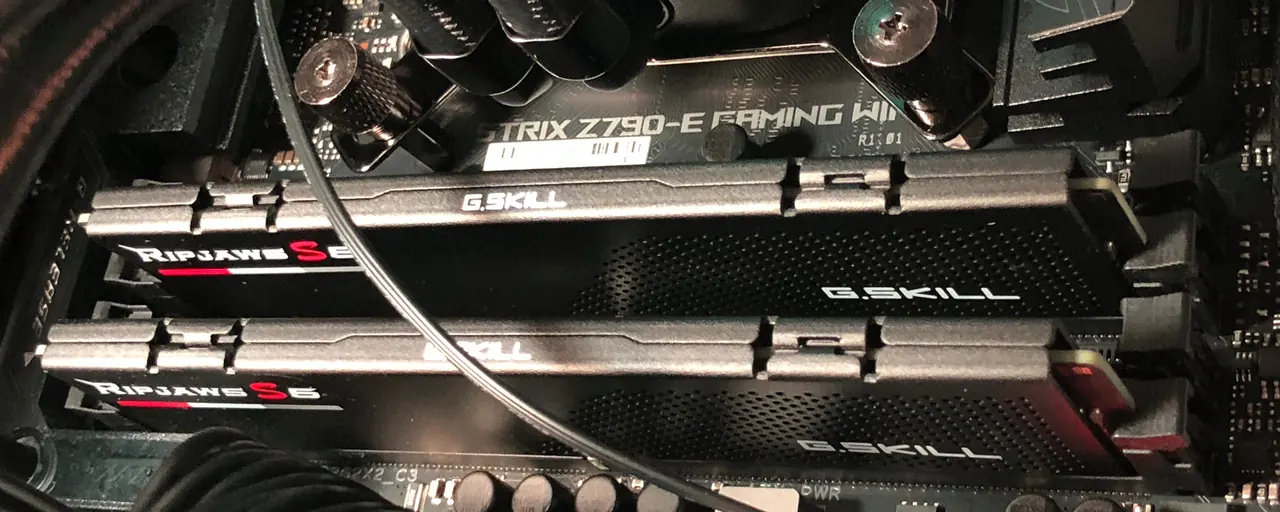
Based on our extensive experience installing and testing RAM, we confidently recommend the G.Skill Trident Z5 NEO RGB (6000 MHz version) DDR5 RAM stands out as a superb option for users to pair with their AMD Ryzen 7 9700X CPU and those who want the ability to overclock their RAM to higher speeds. This 32 GB kit, comprising two 16 GB modules, offers great memory capacity, making it perfect for intensive applications such as gaming, content creation, and video editing.
Find the G.Skill Trident Z5 NEO RGB DDR5 on Amazon
We found that this RAM model has an impressive clock speed of 6000 MHz and a latency of 10 ns (30-38-38-96 timings). Based on our analysis, the G.Skill Trident Z5 NEO RGB DDR5 RAM delivers outstanding performance at breakneck speeds. We determined this RAM is well-suited for tasks that necessitate rapid data processing. We have observed a significant improvement in the DDR5 version compared to its predecessors, mainly due to enhanced speeds and reduced latency. These enhancements place it as one of the top memory modules currently available.
We feel that the G.Skill Trident Z5 NEO RGB DDR5 RAM is essential to any high-performance gaming rig or workstation, working well with the AMD Ryzen 7 9700X CPU. Its voltage of 1.35 volts is around average for most RAM. The premium aluminum heatsinks provide excellent thermal management and lend the modules a sophisticated and luxurious appearance. Furthermore, the AMD EXPO profile supplies its advertised settings for compatible AMD motherboards.
We determined that the only drawback of this RAM is that it's a little costly due to it being a higher clock speed DDR5 kit, but it's worth it for the speed boost.
Read the full overview of the G.Skill Trident Z5 Neo RGB 32 GB DDR5-6000 CL30 RAM.
Standard DDR5 Option: Crucial 32 GB DDR5-5600
The CT2K16G56C46U5 kit contains two 16 GB UDIMMs, with a maximum rate of 5600 MT/s, CL46 latency and 1.1 V operation. Choose it for a plain, non-RGB kit using standard JEDEC memory rates rather than low-latency overclocking profiles. It supports lower rates such as 5200 or 4800 MT/s when required by the CPU and motherboard.
Check the latest price of the Crucial 32 GB DDR5-5600 Kit on Amazon
Which RAM Is Compatible With the Ryzen 7 9700X?
Memory Generation Supported by the 9700X
The Ryzen 7 9700X CPU only supports DDR5 memory. Other generations of memory are incompatible.
The generation of memory (e.g., DDR3, DDR4, or DDR5) must match what is supported by your motherboard. Motherboards only support a single generation of memory.
To learn more about the difference between DDR5 and DDR4, check out our article: DDR4 vs. DDR5? Which You Should Buy.
Maximum Memory Speeds Supported by the 9700X
The maximum speed at which you can run PC memory depends on your CPU, motherboard, and the memory itself.
When using DDR5 memory, the Ryzen 7 9700X CPU officially supports effective memory speeds up to 5600 MHz (5600 MT/s). This maximum speed means that stock DDR5 performance will be maximized using DDR5-5600 memory.
When overclocking memory, you can exceed these stock speeds officially supported by CPUs. We've found that motherboard specifications will indicate their supported overclocked-memory speeds.
RAM can also be underclocked to achieve compatibility, which we found is a great option to try in some cases. Underclocking can be used when you purchase memory that is faster than the maximum speed supported by the CPU or motherboard. However, precise underclocking also requires a motherboard that supports memory overclocking. Without this support, we've seen that memory may fall back to a slower speed than the maximum supported memory speed. To achieve the maximum memory speed without overclocking support, use the maximum speed supported by the motherboard and CPU.
By looking up a motherboard's specifications, you can verify whether it supports a particular speed. Additionally, we've found that the motherboard manufacturer's website will typically indicate which memory kits have been confirmed to be compatible.
Compare DDR5 speeds to the previous generation DDR4 speeds in the following table:
| DDR4 | DDR5 | |
|---|---|---|
| Max UDIMM (Unbuffered) Capacity | 32 GB | 128 GB |
| Bandwidth | 12800–25600 MB/s | 38400–57600 MB/s |
| Transfer Rate | 1600–3200 MT/s | 4800–7200 MT/s |
| Base Frequency | 800–1600 MHz | 2400–3600 MHz |
| Effective Frequency | 1600–3200 MHz | 4800–7200 MHz |
| Voltage | 1.2 V | 1.1 V |
| On-die ECC | No | Yes |
9700X ECC Memory Support
Most gaming and general-purpose desktop setups do not use ECC memory.
Error correction code (ECC) memory is a more expensive form of memory typically used for critical server and workstation use cases. The purpose of ECC memory is to detect and correct when a single bit in memory gets flipped unintentionally.
ECC memory will not work unless the motherboard and CPU support ECC.
AMD Ryzen 7000 series CPUs, including the 9700X, support ECC memory.
When desktop motherboards support ECC memory, it's typically limited to "unbuffered ECC" memory. Server motherboards may support "registered ECC" memory, which allows for additional memory modules.
Before Buying RAM
Before purchasing memory, we suggest that you review your motherboard specification to verify which speeds are supported. For example, if a DDR4 motherboard stated that it supports "DDR4 3400(O.C.) / 3333(O.C.) / 3300(O.C.) / 3200 / 3000," that would mean that it could support DDR4-3400, DDR4-3333, and DDR4-3300 with memory overclocking, and DDR4-3200 and DDR4-3000 at stock speeds. Motherboard specifications also indicate the maximum capacity per stick of RAM (DIMM) and across all slots.
Learn More About the AMD Ryzen 7 9700X
- Motherboard: Choosing the Best Motherboard for AMD's Ryzen 7 9700X
- Chipset: Which Chipsets Work With AMD's Ryzen 7 9700X CPU?
- Cooler: Choosing the Best CPU Cooler for AMD's Ryzen 7 9700X
- Power Supply: Choosing the Best Power Supply for AMD's Ryzen 7 9700X CPU
- RAM: Best RAM for the AMD Ryzen 7 9700X CPU
- TDP: What Is the TDP of the Ryzen 7 9700X CPU?
- Gaming: Is the Ryzen 7 9700X CPU Good for Gaming?