
AMD's Ryzen 7000 series introduced the AM5 socket, which replaced AM4 and now supports Ryzen 7000, 8000G/
Check out my Recommended AM5 Coolers below.
for a specific AM5 CPU:
AM5 CPU Families and Cooling Needs

AMD now ships three desktop Ryzen generations on AM5, and each family has different thermal demands.
Ryzen 7000 (Zen 4 "Raphael")
The Ryzen 7000 series introduced the AM5 platform, with CPUs like the Ryzen 9 7950X reaching a 170 W TDP. Precision Boost can push package power up to 230 W, demanding robust cooling solutions. Large dual-tower air coolers or 360 mm AIO liquid coolers are recommended to maintain boost clocks with minimal noise. Lower-tier chips, such as the 120 W X3D models or 65 W non-X variants, are less demanding and pair well with mainstream tower coolers or midrange AIOs.
Ryzen 8000 (Zen 4 "Phoenix")
Ryzen 8000G APUs and 8000F CPUs, built for the AM5 socket, operate at a cool 65 W TDP. AMD includes Wraith Stealth or Wraith Spire stock coolers, sufficient for basic workloads. For compact builds leveraging the integrated RDNA 3 graphics or sustained boost clocks, upgrading to a 120 mm tower cooler or a 240 mm AIO is a smart choice.
Ryzen 9000 (Zen 5 "Granite Ridge")
The Ryzen 9000 series, fully compatible with AM5 coolers, delivers higher Zen 5 clock speeds. The Ryzen 9 9950X maintains a 170 W TDP, while the 9900X operates at 120 W, and the 9700X and 9600X drop to 65 W. Although heat density is slightly lower than early Zen 4 chips, the 9950X still requires high-end cooling. Midrange tower or liquid coolers suit the 120 W models, while mainstream air coolers are adequate for 65 W chips.
AIO Coolers for AM5 Builds
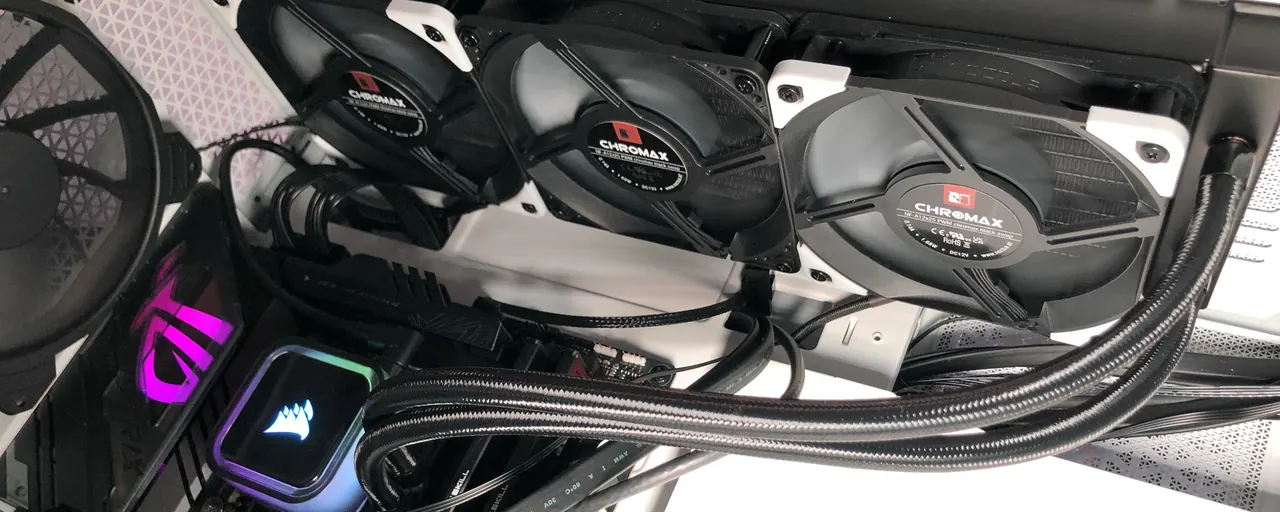
All-in-one (AIO) liquid coolers simplify cooling for 170 W Ryzen 9 processors while maintaining low fan speeds and noise levels. Choosing a 240 mm or 360 mm radiator provides the capacity needed for Precision Boost Overdrive and demanding productivity tasks without thermal throttling.
For quiet gaming or creative workloads, select AIOs with high-quality pump designs and PWM fans, allowing precise fan curve adjustments through your motherboard BIOS or software suite.
- Find an AM5 AIO Cooler on Amazon
 - 240 mm and 360 mm kits balance thermals and acoustics for Ryzen 9 7950X, 9950X, and other high-TDP AM5 processors.
Considerations When Choosing a CPU Cooler
Thermal Dissipation
A CPU cooler's TDP (Thermal Design Power) rating indicates how much heat it can dissipate in watts. If the cooler can't keep your CPU cool enough, your CPU may throttle (slow down), and your cooler will constantly run at full speed.
Intel CPU specifications indicate this power dissipation number as "Processor Base Power" and "Maximum Turbo Power."
For example, the Core i9-12900K has a TDP of 125–241 watts, depending on the workload.
A CPU cooler can still work with a lower TDP rating than the TDP of a CPU. However, the CPU will eventually throttle itself to a lower frequency to allow itself to cool.
The CPU may not achieve or maintain maximum turbo speeds without adequate cooling.
Types of Coolers
Air coolers use a combination of heatsinks and fans. They are the cheapest, but also the loudest.
A Closed-Loop Cooler (CLC), also called an All-in-One (AIO) cooler, is a type of liquid cooler. All-in-one liquid coolers provide a more straightforward setup in a single pre-built package.
Liquid cooling can provide even better TDP performance at lower noise levels but are more expensive and take up more room. The noise level and ability to cool your CPU will depend on the liquid cooling solution's radiator size and the number and size of the fans.
Open-Loop Coolers are also a type of liquid cooler, except you construct them yourself. They allow for more flexibility in building your perfect cooling solution but can also be more complicated to set up. Open-loop systems give you the flexibility to cool additional devices, such as your graphics card's GPU.
Noise
More fans typically mean better cooling. However, they also mean more noise.
Larger fans are typically quieter than smaller fans, as they can move the same amount of air at lower speeds.
If a cooler is struggling to cool a CPU, it will run at its maximum speed, which will be louder.
Fan noise levels are measured a dB. Lower dB values are quieter.
You can often configure your motherboard's BIOS to use specific fan speeds at particular temperatures. This configurable fan speed allows you to have a near-silent computer while your computer is idle.
Mounting Brackets
CPU coolers can have various mounting brackets to work with different socket sizes. Make sure that your cooler comes with a compatible mounting bracket.
The easiest way to find a CPU cooler that will work for your computer is to search by socket type. For example, Intel's 12th generation Core i9 12900K uses an LGA 1700 socket, so you would search for an LGA 1700 CPU cooler. In some cases, such as when a new socket size is released, there may not be many compatible coolers. In these cases, you can often purchase a separate mounting/
Size
Before buying the biggest cooler possible, ensure that your case and motherboard configuration have room.
Also, ensure that other components on your motherboard won't interfere due to size constraints. For example, do your memory modules (DIMMs) have tall heat spreaders?
Dual-fan coolers often take up quite a bit of room. Liquid cooling solutions typically position fans at the top or bottom of the case.
Lighting
Some CPU cooler fans come with LED lighting. Similarly, liquid cooling pump heads can also come with LEDs or even LCDs!
If you want to turn off the lights when they get annoying, make sure your CPU cooler has that option.
Price
In general, air-based coolers will be lower cost than liquid cooling systems.
CPU coolers that support a higher TDP are also typically correlated with a higher price.
The more advanced lighting features tend to also come at an extra cost. You can decide between a practical, low-cost solution and a dazzling light show.
Recommended AM5 Coolers
Best AM5 All-in-One Liquid Coolers
ARCTIC Liquid Freezer III Pro 360
ARCTIC Liquid Freezer III Pro 360 Supports AM5: YES Radiator: 360 mm, 38 mm thick Fans: 3 x 120 mm Type: Liquid Cooler Check the latest price of the ARCTIC Liquid Freezer III Pro 360 on Amazon
Choose this 360 mm AIO for a build with room for a large radiator, such as a CPU-heavy workstation. The three 120 mm fans move heat out through the radiator; the pump and fans support PWM control.
Supports AM4, AM5, LGA 1700 and LGA 1851. The 38 mm radiator is thicker than many AIO radiators; check radiator, fan and motherboard clearance in your case.
Best AM5 Dual-Fan Air CPU Cooler
Thermalright Phantom Spirit 120 SE Black
Thermalright Phantom Spirit 120 SE Black Supports AM5: YES Height: 154 mm Fans: 2 x 120 mm Heatpipes: 7 Check the latest price of the Thermalright Phantom Spirit 120 SE Black on Amazon
A dual-tower air cooler with seven heatpipes and two PWM fans. Choose it for a fan-cooled build without a liquid-cooling pump or RGB wiring.
Supports AM4, AM5, LGA 115x, 1200, 1700 and 1851. Allow 154 mm of case clearance, plus any extra height needed if the front fan must be raised above tall RAM.
Noctua NH-D15
Noctua NH-D15 Supports AM5: YES Height: 165 mm Fans: 2 x 140 mm Max. fan noise: 24.6 dB(A) Type: Heatsink & Fans Check the latest price of the Noctua NH-D15 on Amazon
A premium dual-tower air cooler with two 140 mm PWM fans. Choose it if you prefer Noctua's fan design, mounting hardware and six-year warranty.
Check the 165 mm case clearance and RAM height; raising the front fan above tall modules increases the space required. Older packages may need the appropriate mounting kit for newer sockets.